

Q0022 – I do not receive notification emails from the CN components?
NOTE:
Depending on the specific CN component troubleshoot the following:
AC
Step 1
Execute transaction /APPLISOL/AC
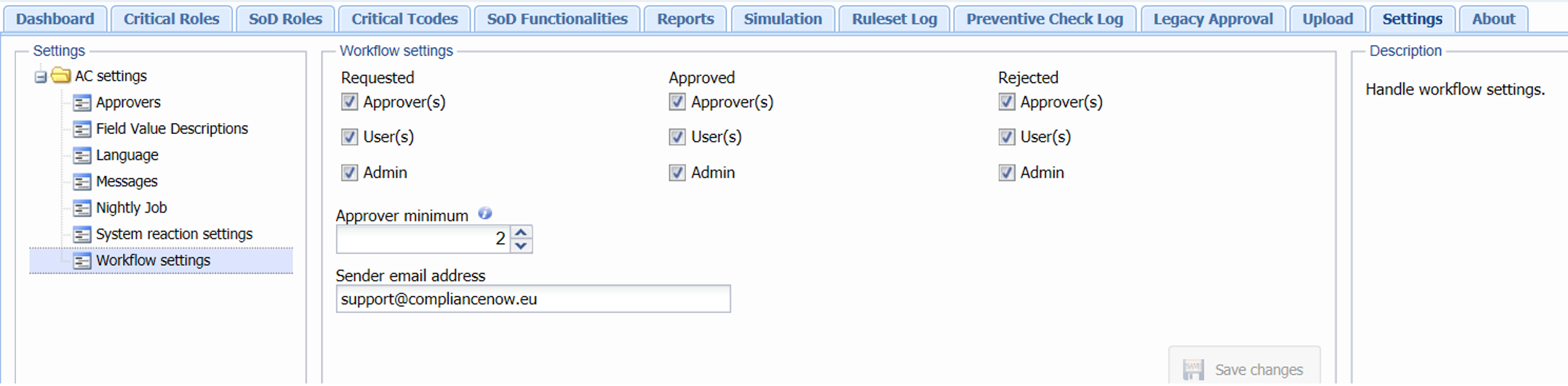
- Navigate to “Settings”
- Navigate to “Workflow settings”
- In “Workflow settings” review the set checkmarks, ensuring that stakeholders are opted in.
- In “Workflow settings” ensure that a valid “Sender email address” is present and valid.
Step 2
Navigate to “Settings”
- In “Settings” go to “Approvers”
- In “Approvers” validate that the approver has a defined email in SU01 or a valid email present in the approver list.

Step 3
If none of the above solves the issue, contact the server admin for further troubleshooting.
IC
Step 1
Execute transaction /APPLISOL/IC
- Navigate to “Settings”
- Navigate to “Notifications” and validate that the checkmark “Mail on response” is opt in.
- In “Notifications” validate that the “Sender email address” is present and valid.
Step 2
In “Settings” navigate to “Approvers/Executers/Compliance Managers”.
Validate that the various stakeholders have a defined email in SU01 or a valid email present in the list.

Step 3
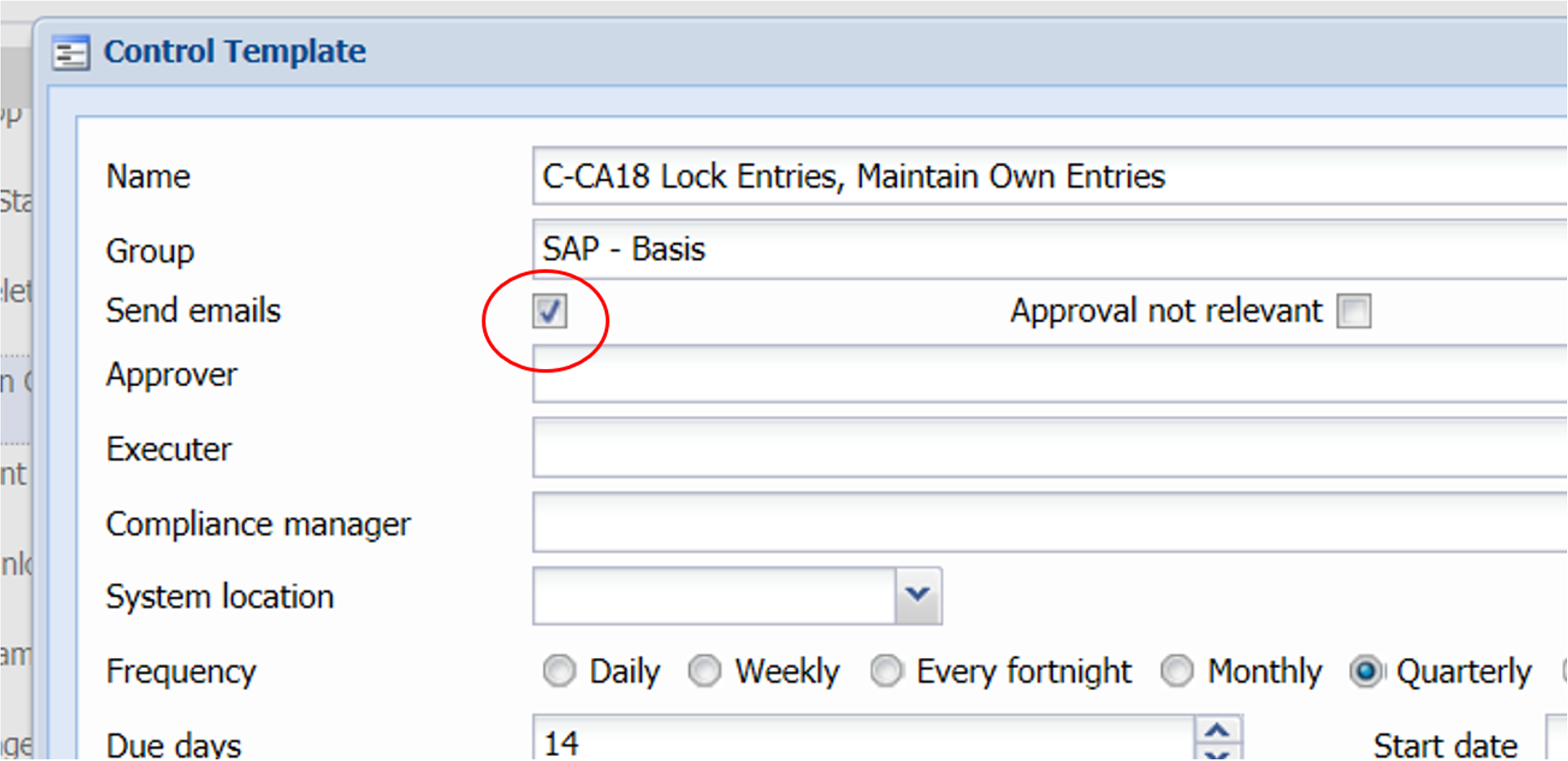
Navigate to “Control Templates” and choose an active control.
-
Open the active control by clicking “Edit control” and validate that the checkmark “Send emails” is opted in.
Step 4
If none of the above solves the issue, contact the server admin for further troubleshooting.
APM
Step 1
Execute transaction /APPLISOL/APMCOCKPIT
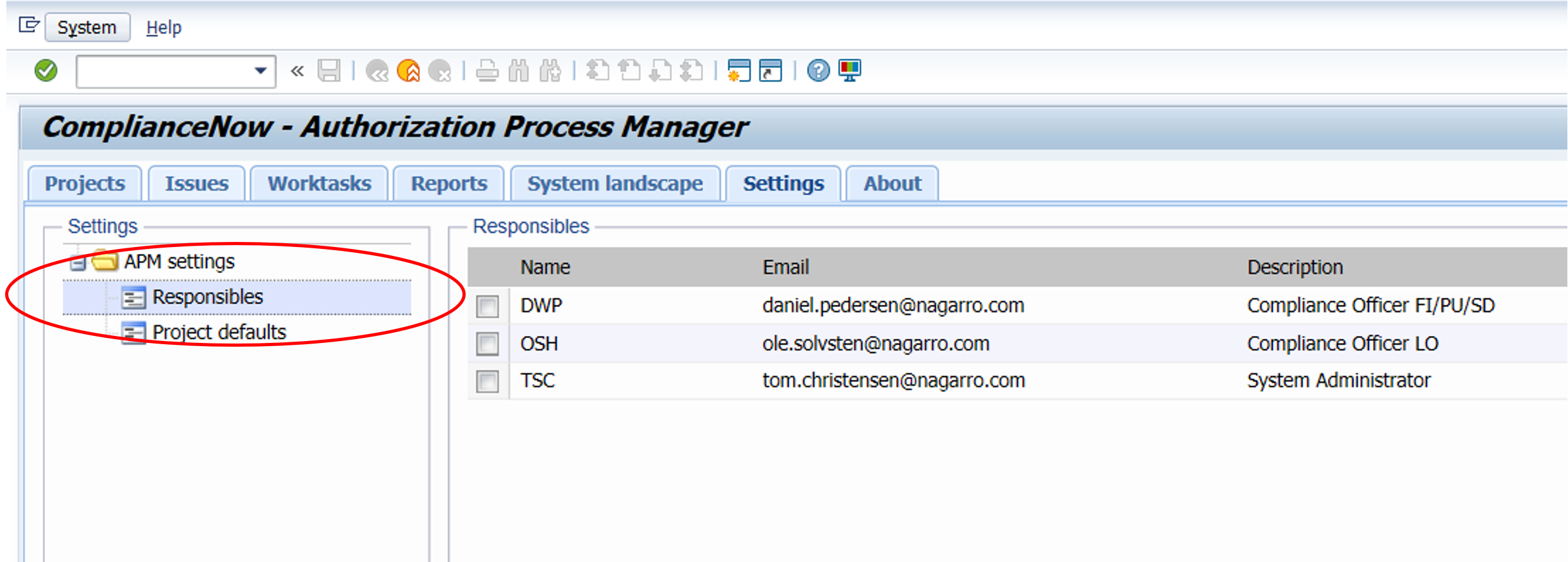
- Navigate to the “Settings” tab.
- In “Settings” navigate to “Responsibles” and validate that emails are present for the various stakeholders.
Step 2
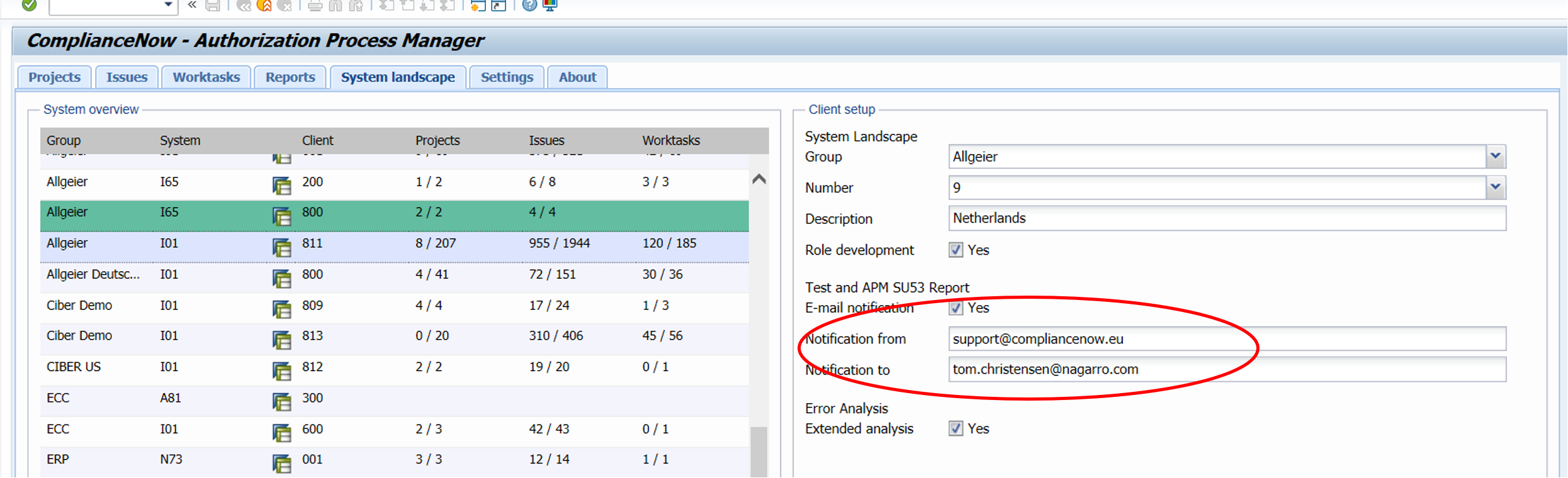
- Navigate to “System landscape”
- Ensure that the relevant systems have a valid email in the “Notification from” / “Notification To” fields.
Step 3
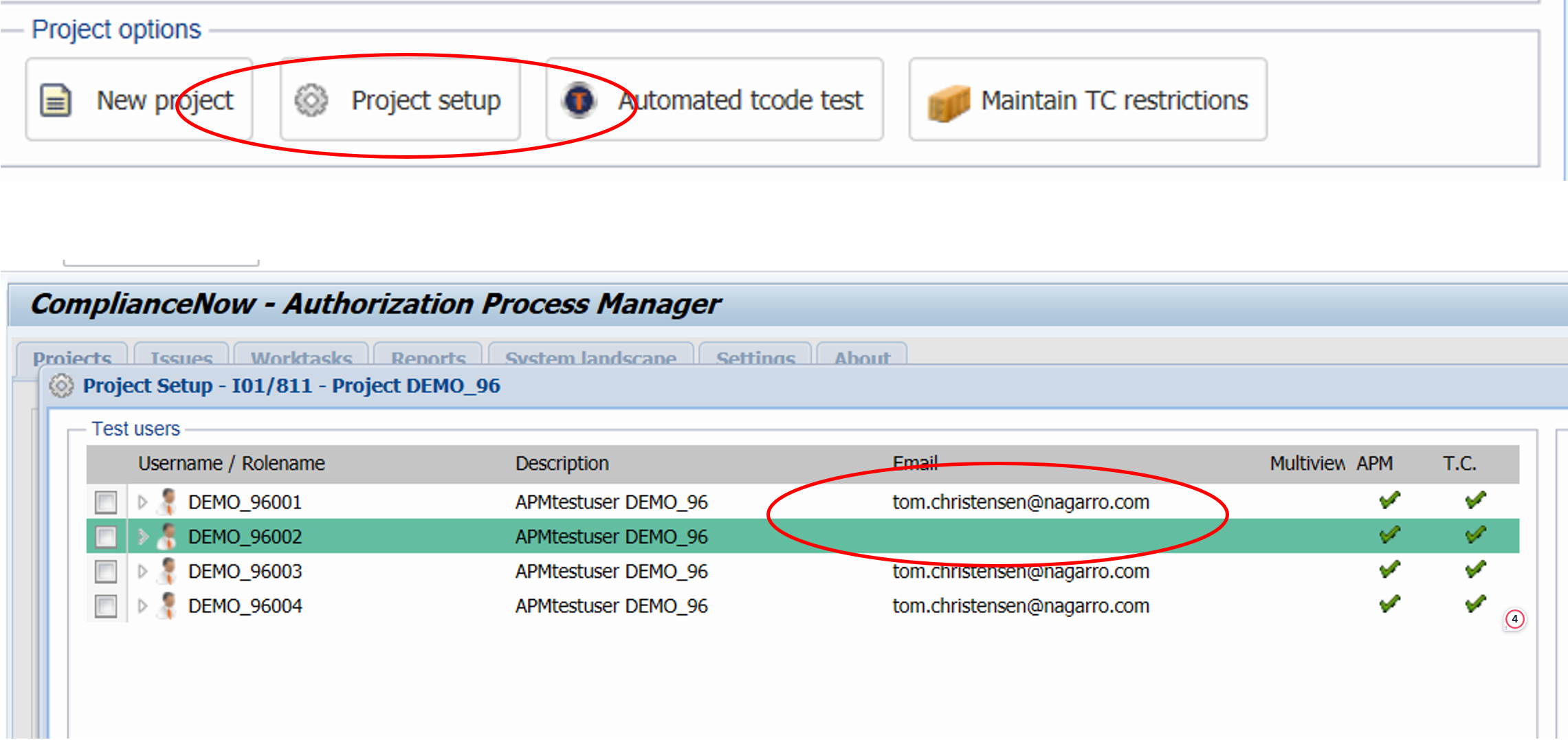
Navigate to the “Projects” tab
- Choose the relevant project.
- Click on “Project setup” button and validate that the email address for the relevant users are present.
Do you need our help to resolve your challenge?
Please feel free to get in touch with us.

