

How can we help?
Q0013 – How to turn off the preventive check with CUA
Solution:
Step 1
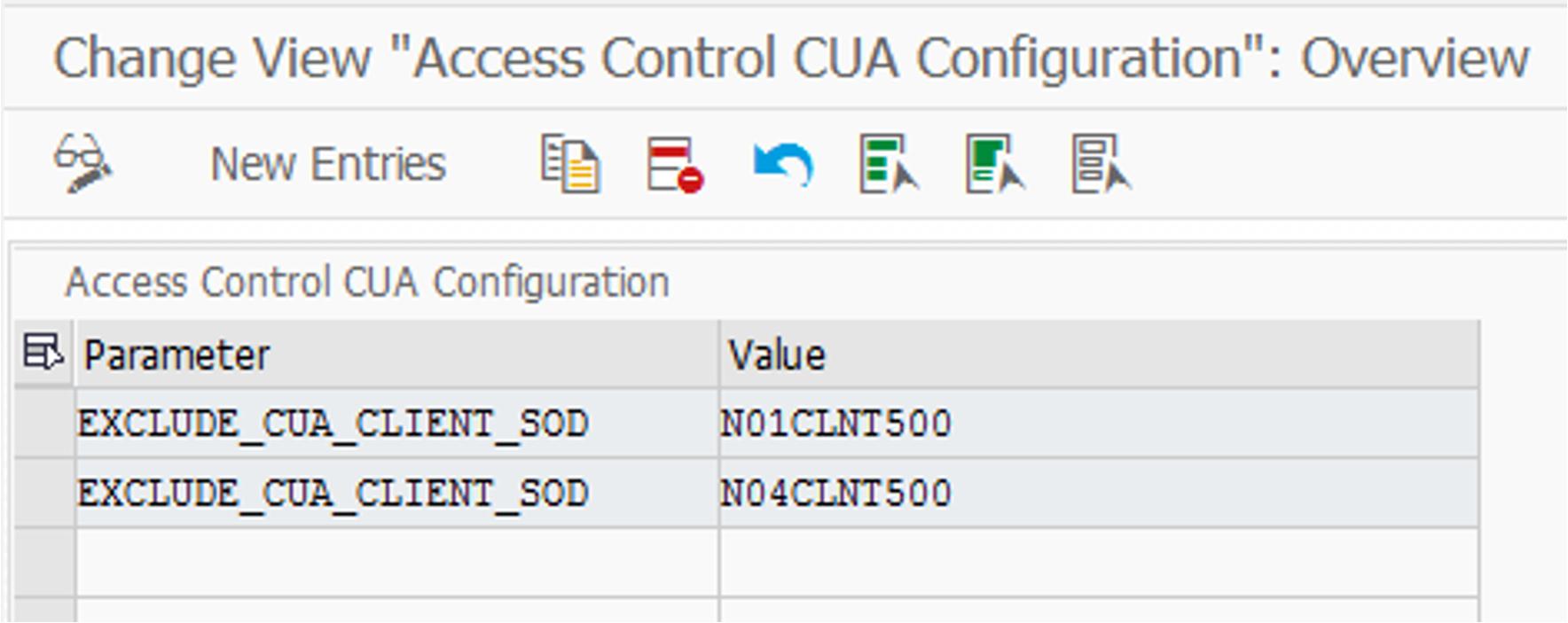
Log on to the CUA master system and run transaction code /APPLISOL/ACCUACFG

Step 2
Specify the systems to be excluded by adding a parameter “EXCLUDE_CUA_CLIENT_SOD” and assigning the logical system name of the CUA client as a value.
Step 3
Deactivate preventive check in the central system /APPLISOL/ACCONFIG
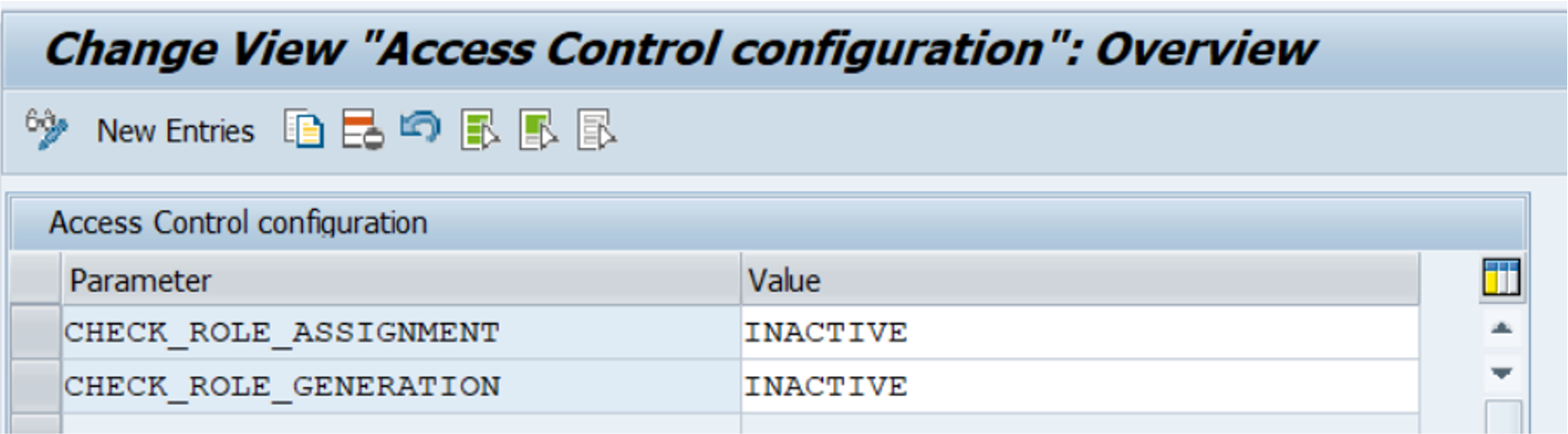
Deactivate preventive check on target system
Step 1
Note* if approval workflow is used, cancel the workflow background job in each target system/client.
Do you need our help to resolve your challenge?
Please feel free to get in touch with us.

