

How can we help?
Q0009 – Error when uploading risks, functions, or Activities in Access Control
Solution a
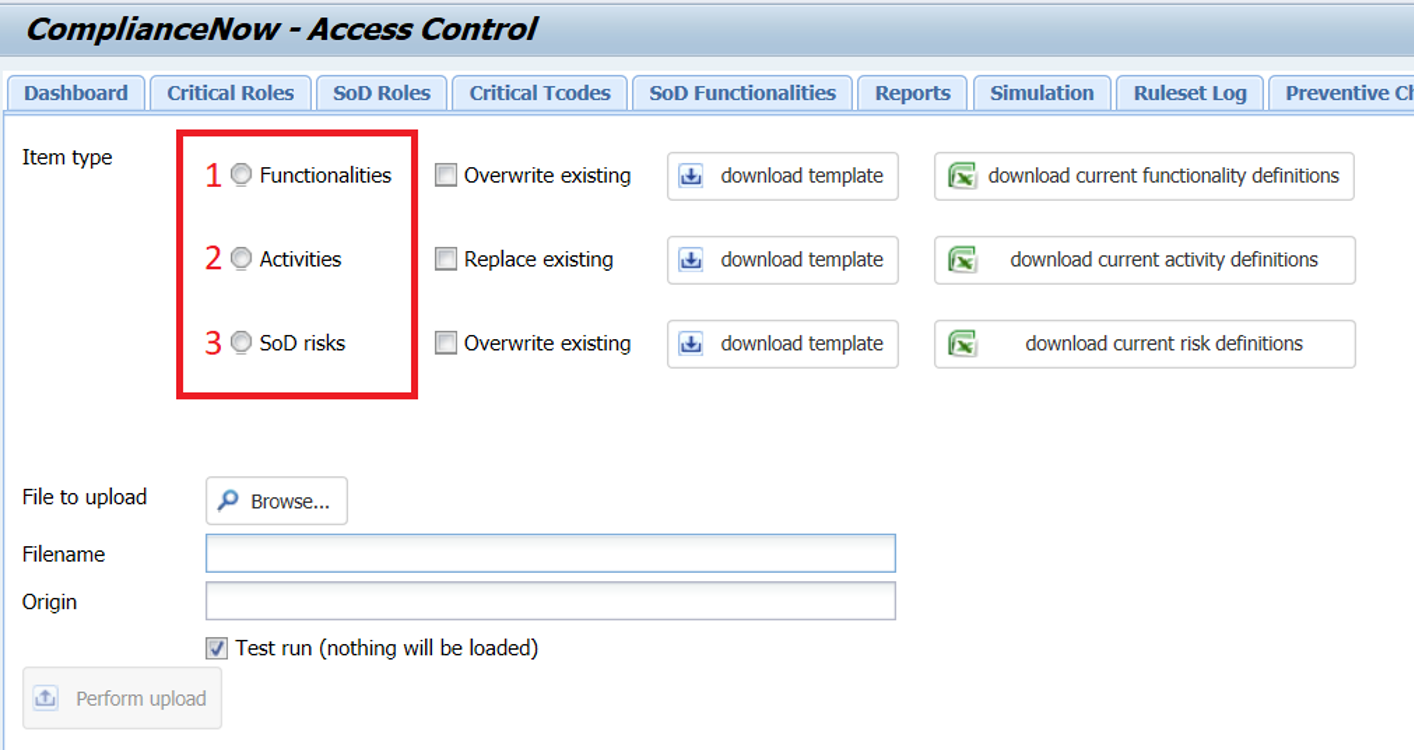
Check if you are uploading in the right order when uploading new risks:
The upload must be done in the following steps:
- Initially upload the functions
- Then the activities
- Finally, upload the SoD risks
Solution b
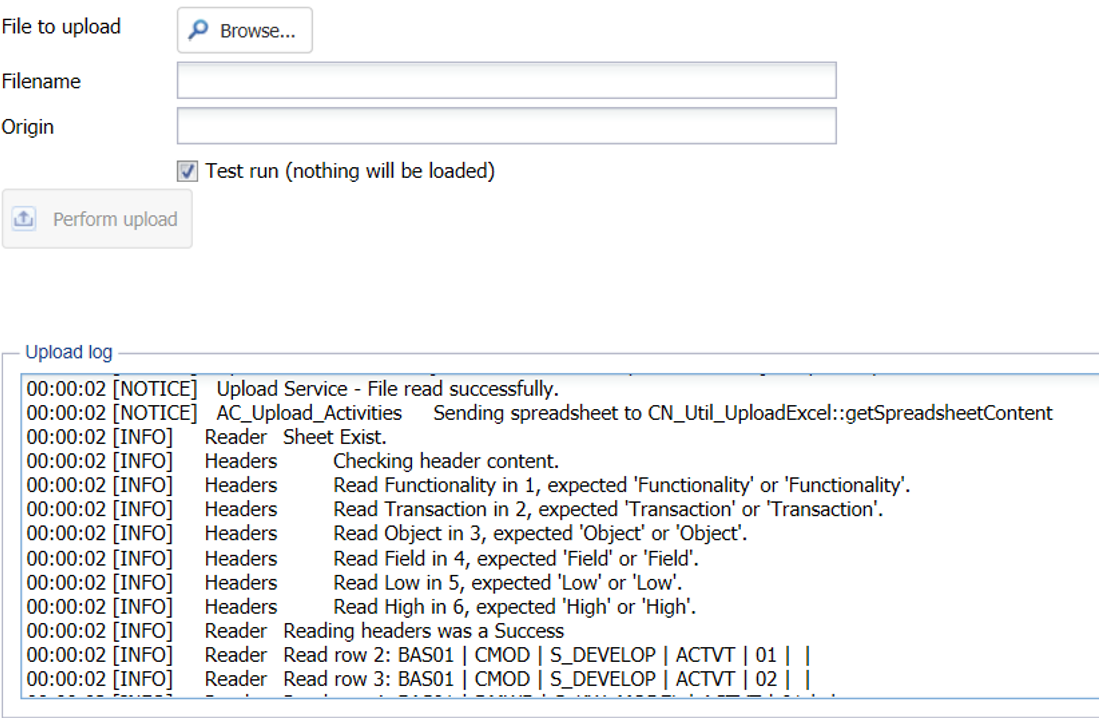
Check if the format for upload is correct. Use the upload “test run” function to investigate any potential errors regarding the format prior to the final upload.
Step 1
Browse the file you want to upload, check “test run” and press “perform upload.”
Step 2
Go through the upload log to check for any errors.
Step 3
Correct the format in the upload file if necessary.
Do you need our help to resolve your challenge?
Please feel free to get in touch with us.

