

Q0001 – Error when connecting (APM communication failure)
Summary:
When using the applications there, it is a requirement that SAP can communicate with the ComplianceNow server.
This communication is configured as an RFC destination. Any errors in the communication should be investigated from the RFC destination first.
Issue A: Is the RFC connection established?
A solution to the error is to check if you have created an RFC connection. The RFC connection must be named “APM_WEB” and be created as type G “HTTP Connection to External Server.”
Step 1
Run transaction SM59. In the SM59 screen, you can navigate through already created RFCs connections
Step 2
Open HTTP Connection to external server folder and display APM_WEB
Step 3
Execute a connection test.
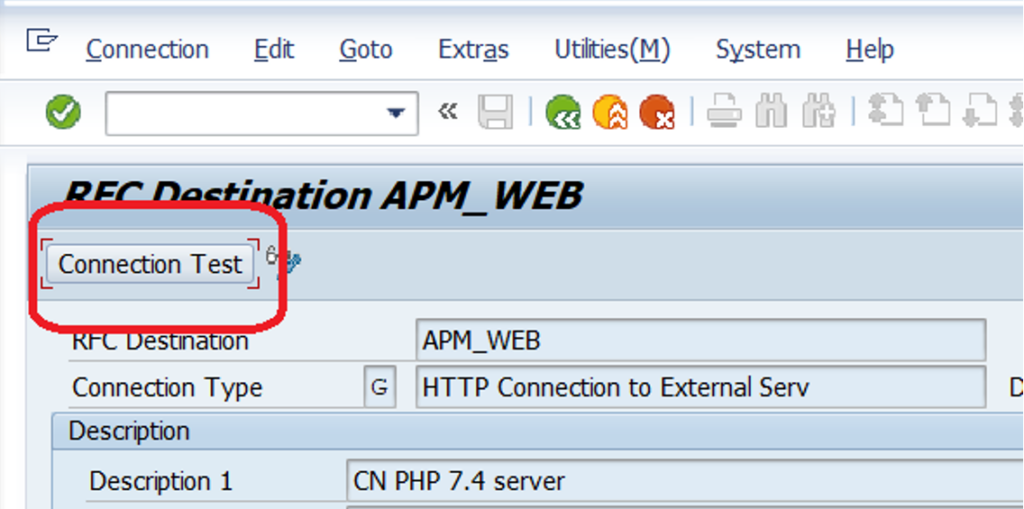
Step 4
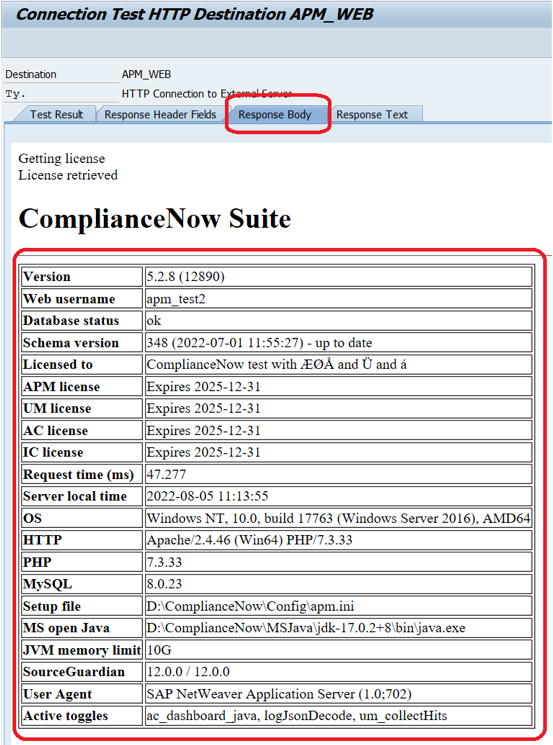
Navigate to the “Response Body” tab and review if the connection test result corresponds with similar information as shown below.
*Note that the information from your test will differ from the example below.
Issue B: is the RFC configurated correctly?
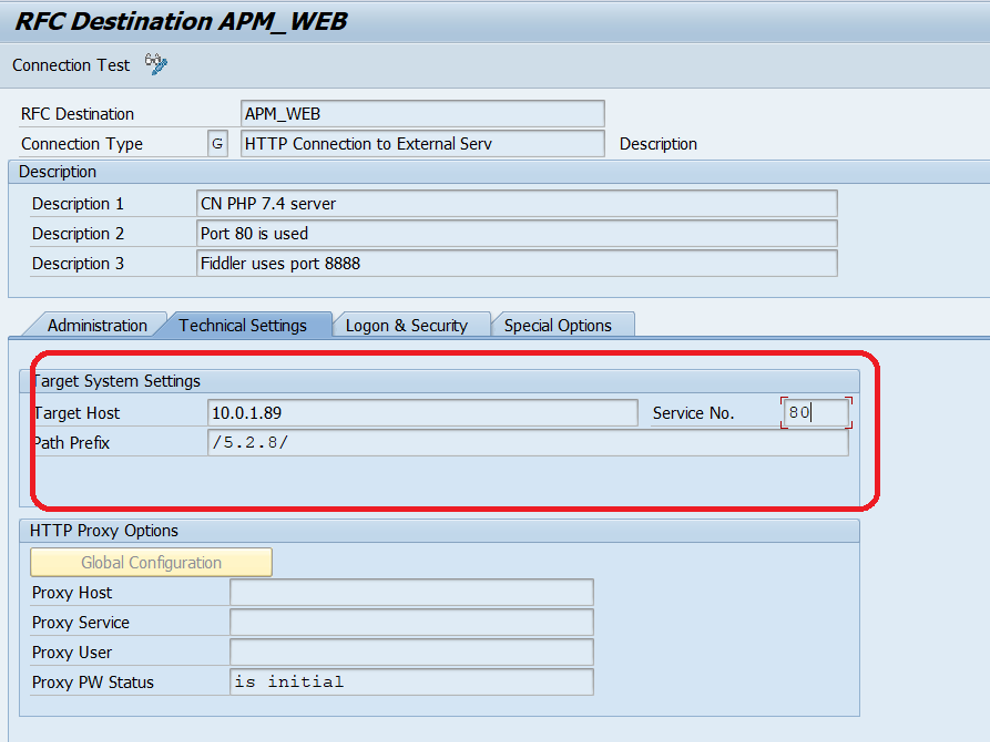
Ensure that the connection is pointing to the correct server, the correct port number, and the path prefix is correct according to the setup of the CN server.
Note*
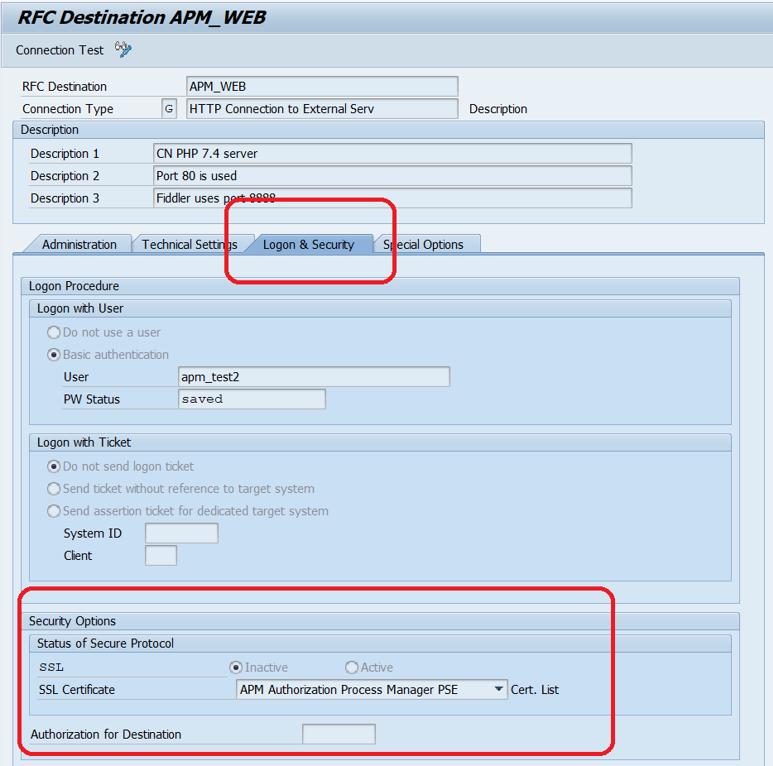
Specifically when connecting by using HTTPS
Ensure that the SSL is set to active and that the correct SSL certificate is chosen.
Did you not find what you were looking for?
See the full installation guide here (download PDF):
https://compliancenow.eu/wp-content/uploads/sites/10/2022/01/CN-ABAP-Add-On-Installation-Guide.pdf
Do you need our help to resolve your challenge?
Please feel free to get in touch with us.

