

Q0003 – No master data is available; red lights are shown under “data health” in the about tab.
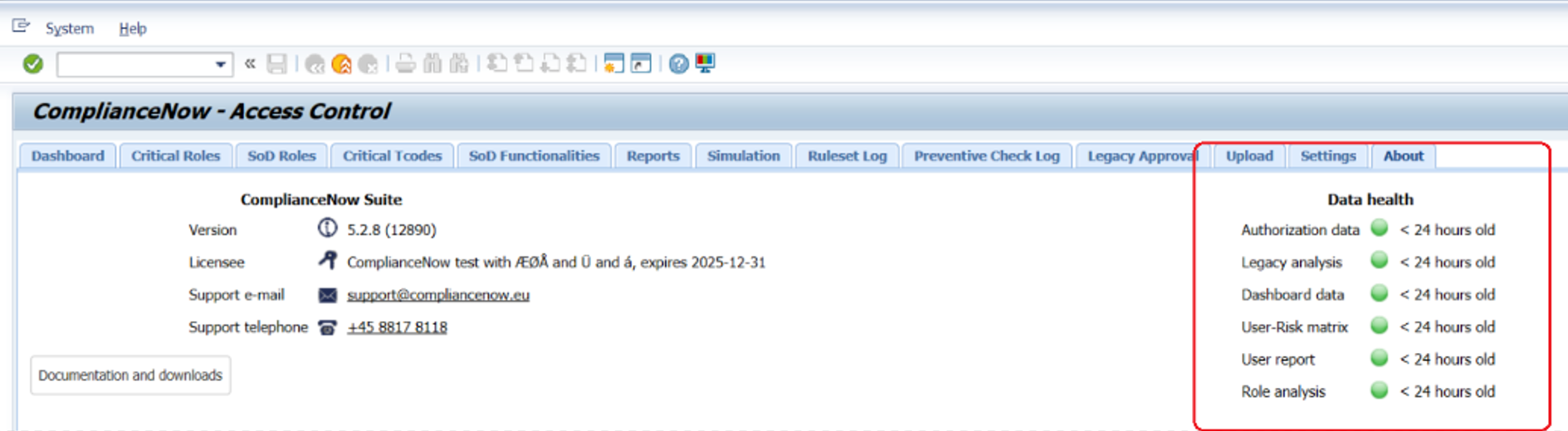
Solution:
Step 1
Check if you have correctly scheduled data transfers in SAP so that the OData service is activated.
Step 2
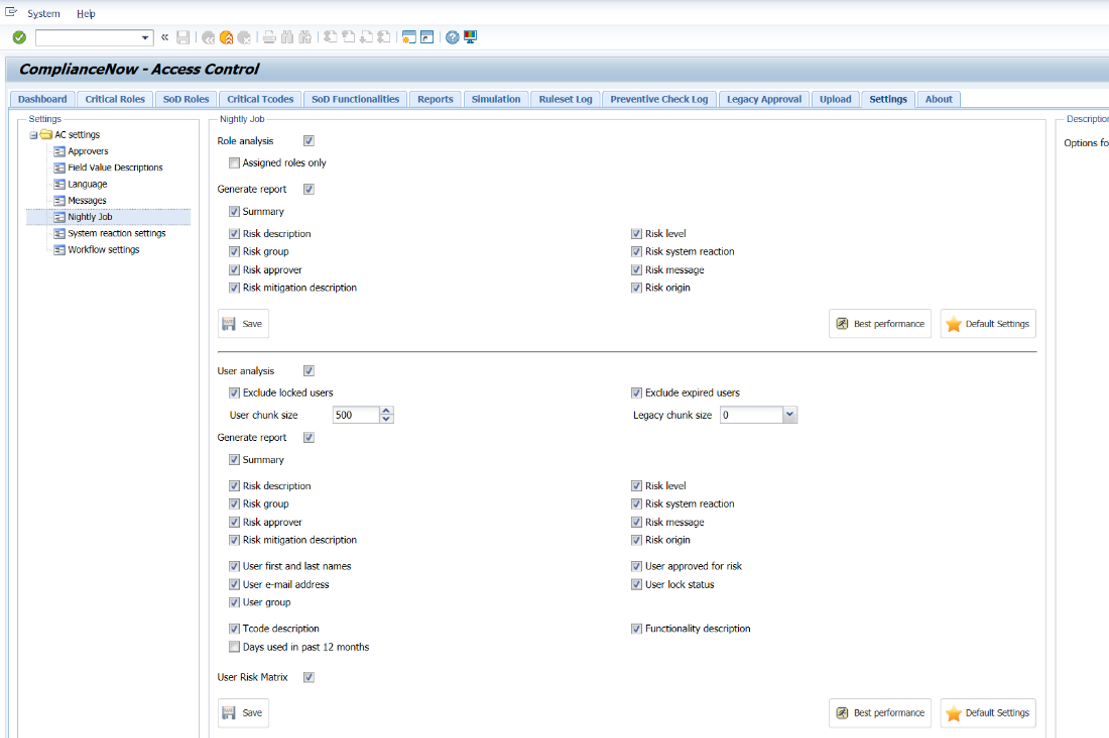
Navigate to the “settings tab” and select “nightly jobs”
Step 3
Make sure that the nightly jobs are set to active as shown below.
Step 4
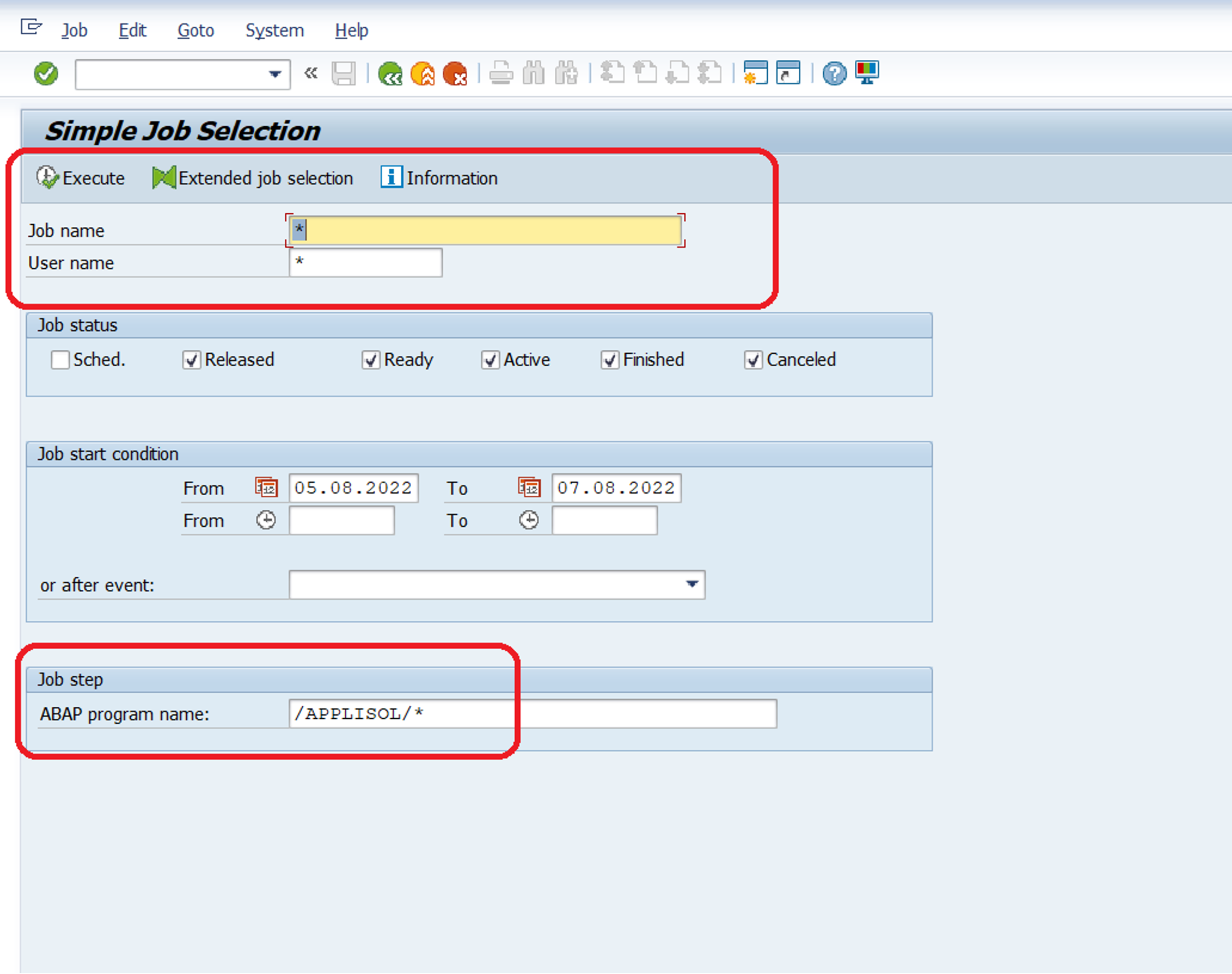
Go to transaction SM37 and ensure that the job selection process is correctly set up. When doing so, make
sure that “Job name” and “User name” is set to *. Set the “Job start condition” to a date that goes beyond the
current date of test. Under Job step enter “/APPLISOL/*”. When the above actions are complete, execute the
job selection.
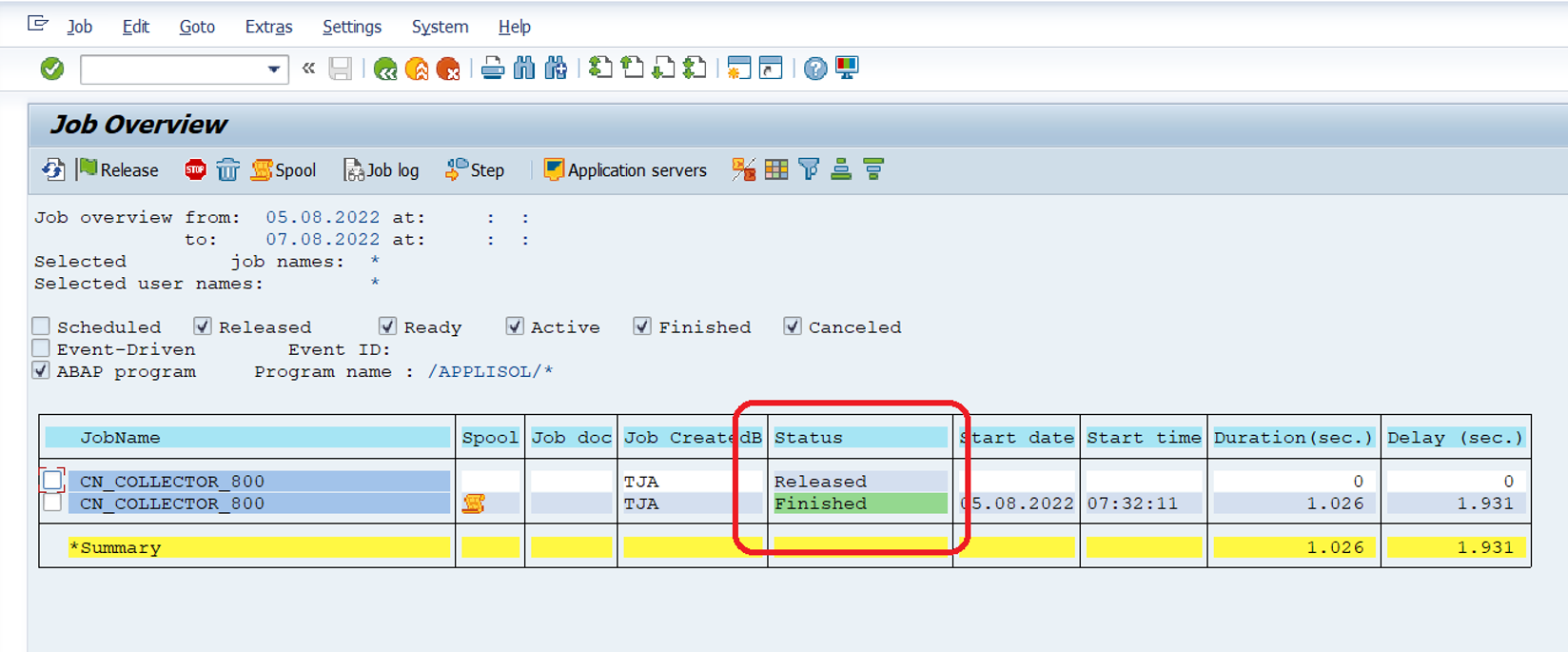
Step 5
Make sure that previous job is set to “Finished” and next job it set to “released”. You can see when the next job is planned to begin by clicking on “released.”
Do you need our help to resolve your challenge?
Please feel free to get in touch with us.

