

How can we help?
Q0016 – How to see which current version of The ComplianceNow Suite is active
Solution a
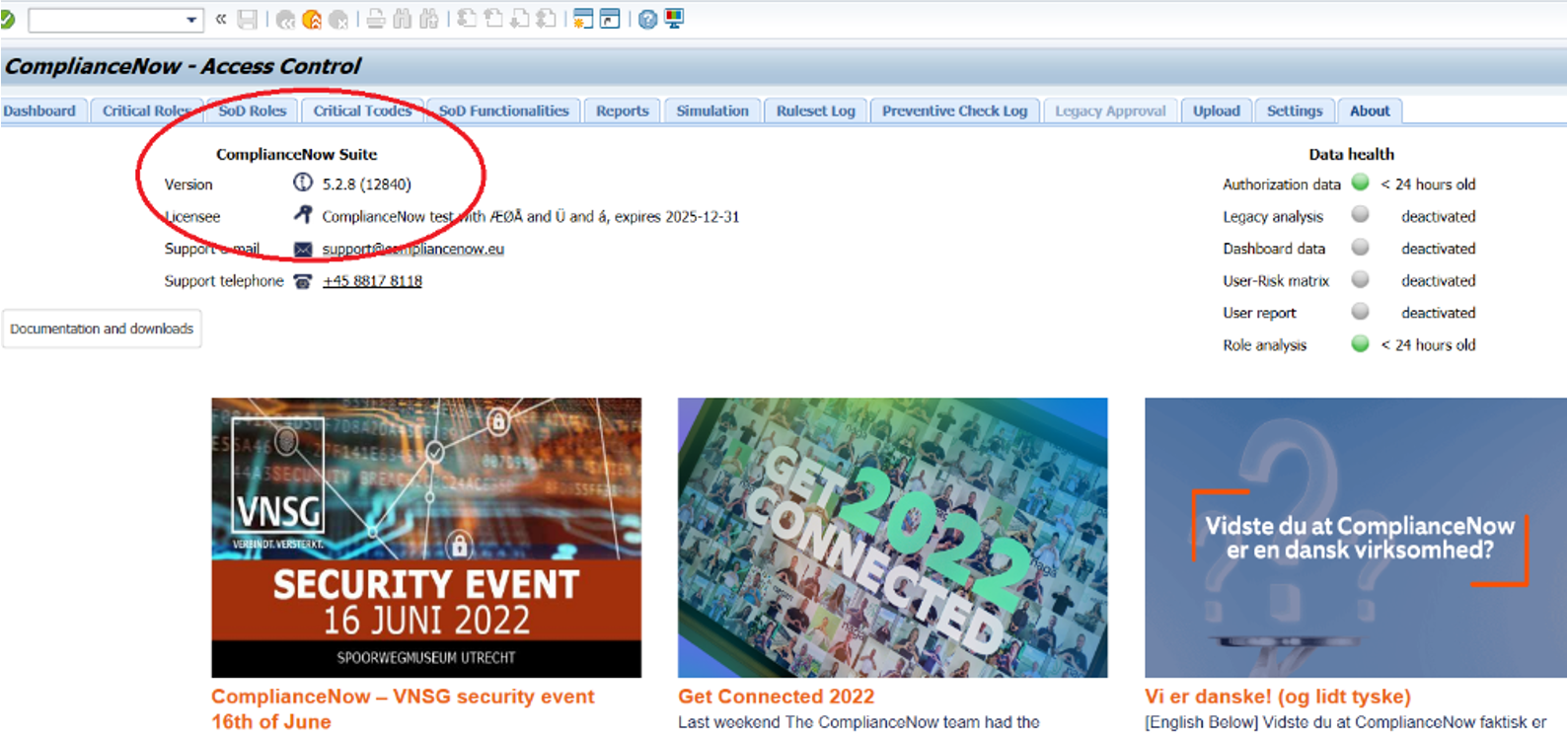
See the version number under the about page in the CN application.
Solution b
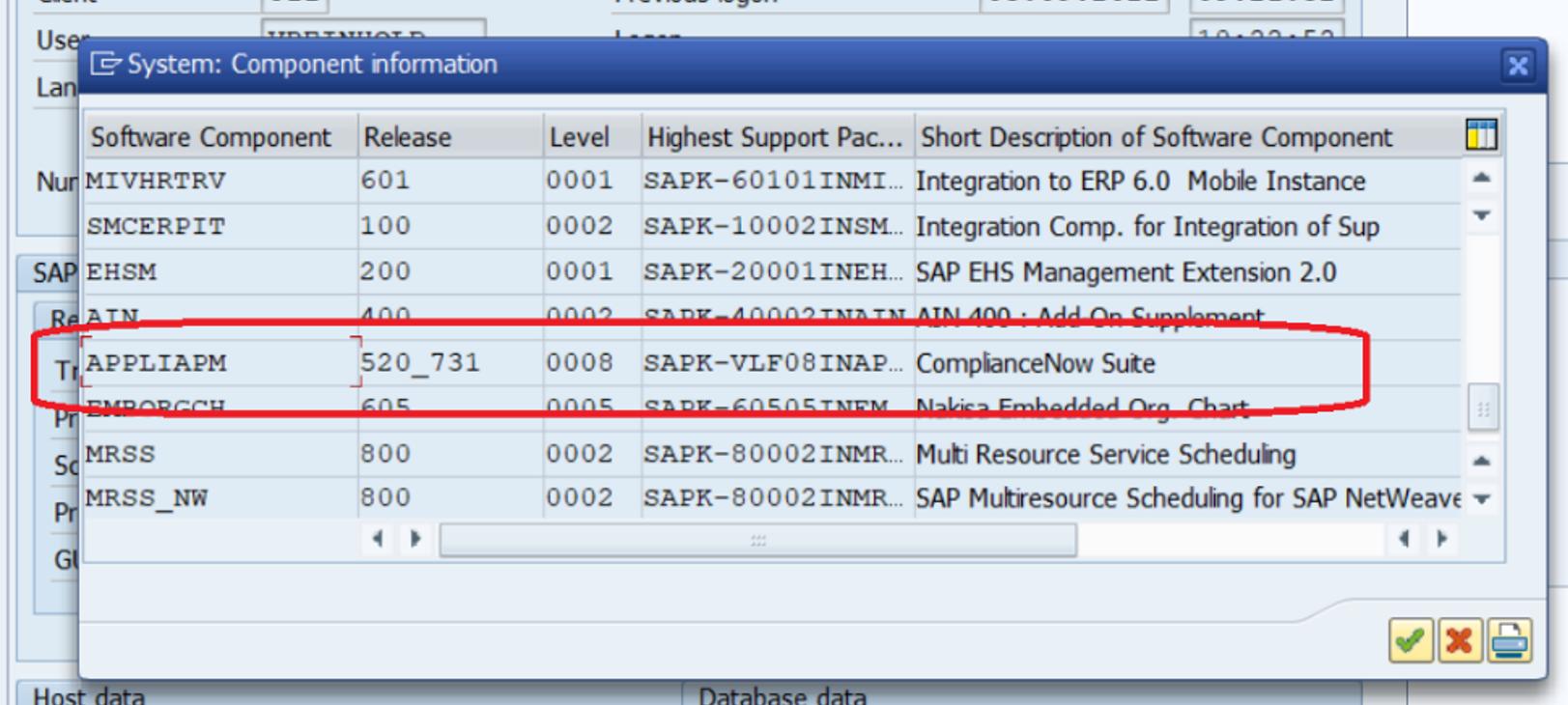
See system status and Add-on version by executing “APPLIAPM“
Step 1
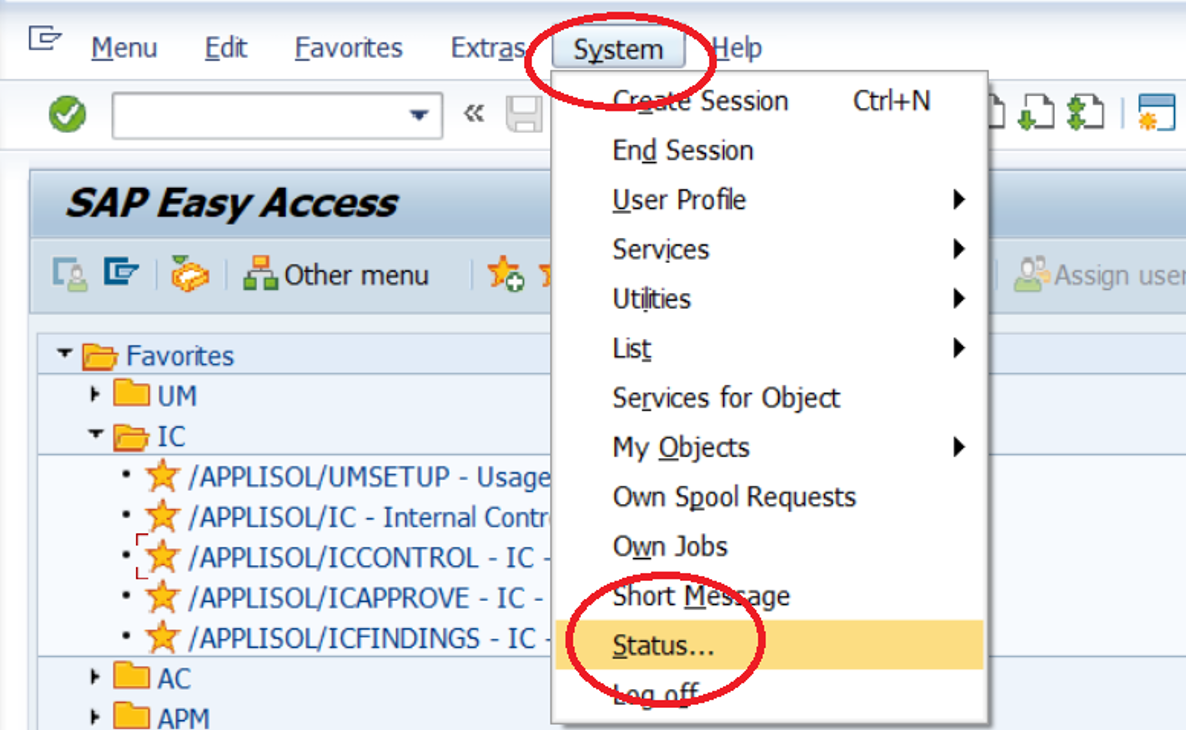
Open the client and click on “systems“ then choose “status“
Step 2
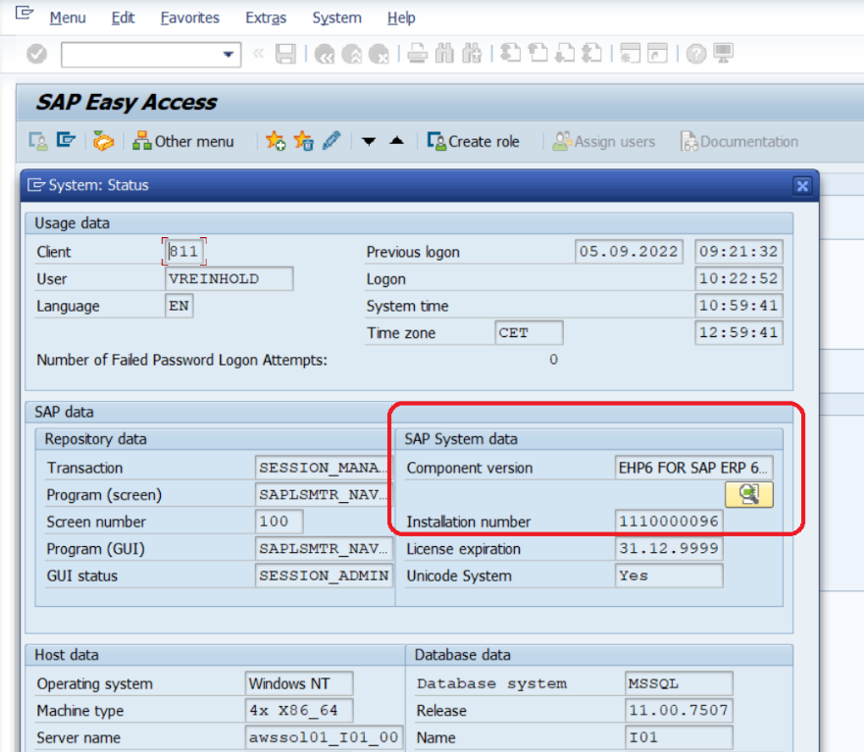
Click on “Component version”
Step 3
Click on “Component version” and note the version and level number of “APPLIAPM“
Solution c
Run a test of the RFC connection by executing “APM_WEB”
Do you need our help to resolve your challenge?
Please feel free to get in touch with us.

