

How can we help?
Q0014 – When I access the ComplianceNow application I get a window security prompt requesting me to log on.
The pop-up appears due to the GUI accessing specific APPLIAPM services in SAP. These services come configured as HTTP services but in these instances, the SSO tickets are not usable and that is why you are requested to log on.
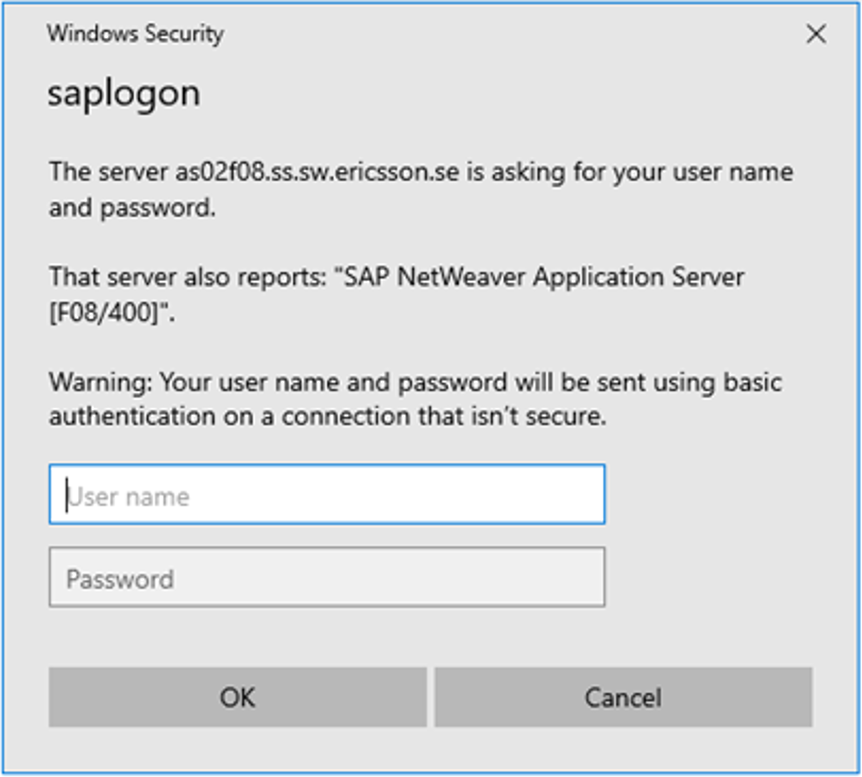
The solution is to change the services to HTTPS/SSL communication.
Step 1
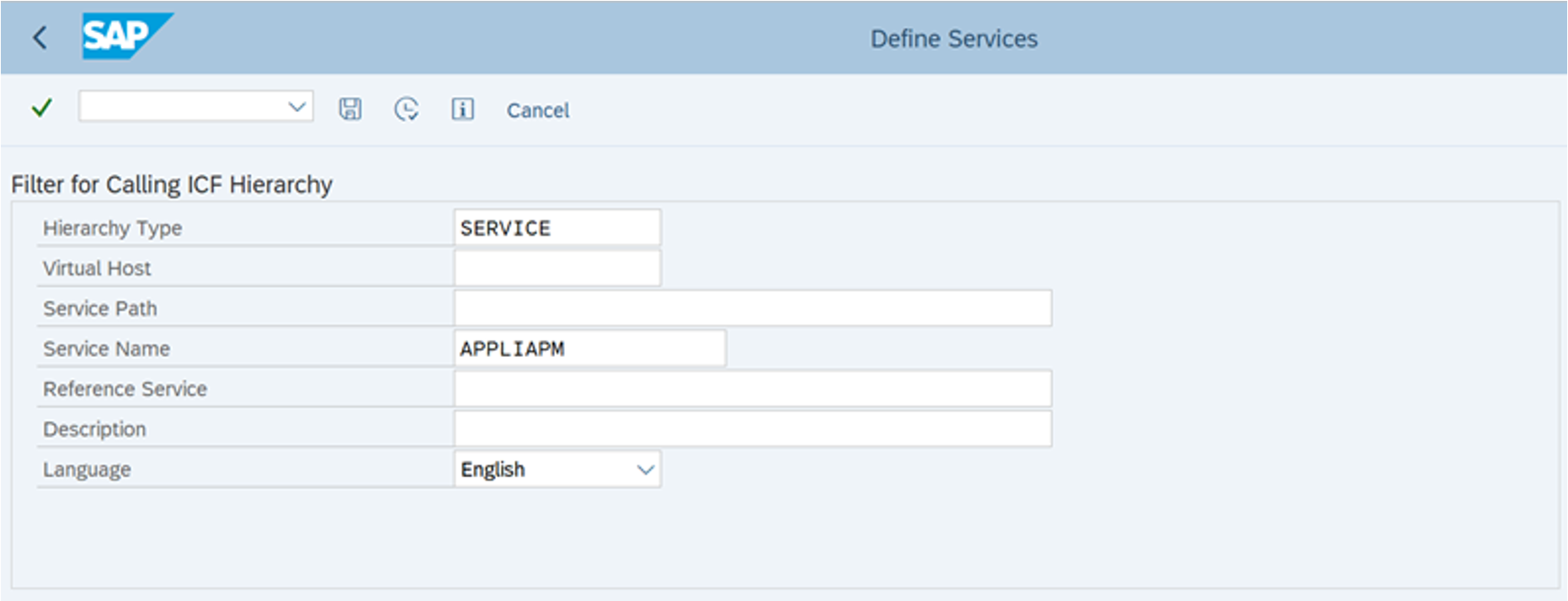
Go to transaction code SICF
Step 2
Filter on service name APPLIAPM
Step 3
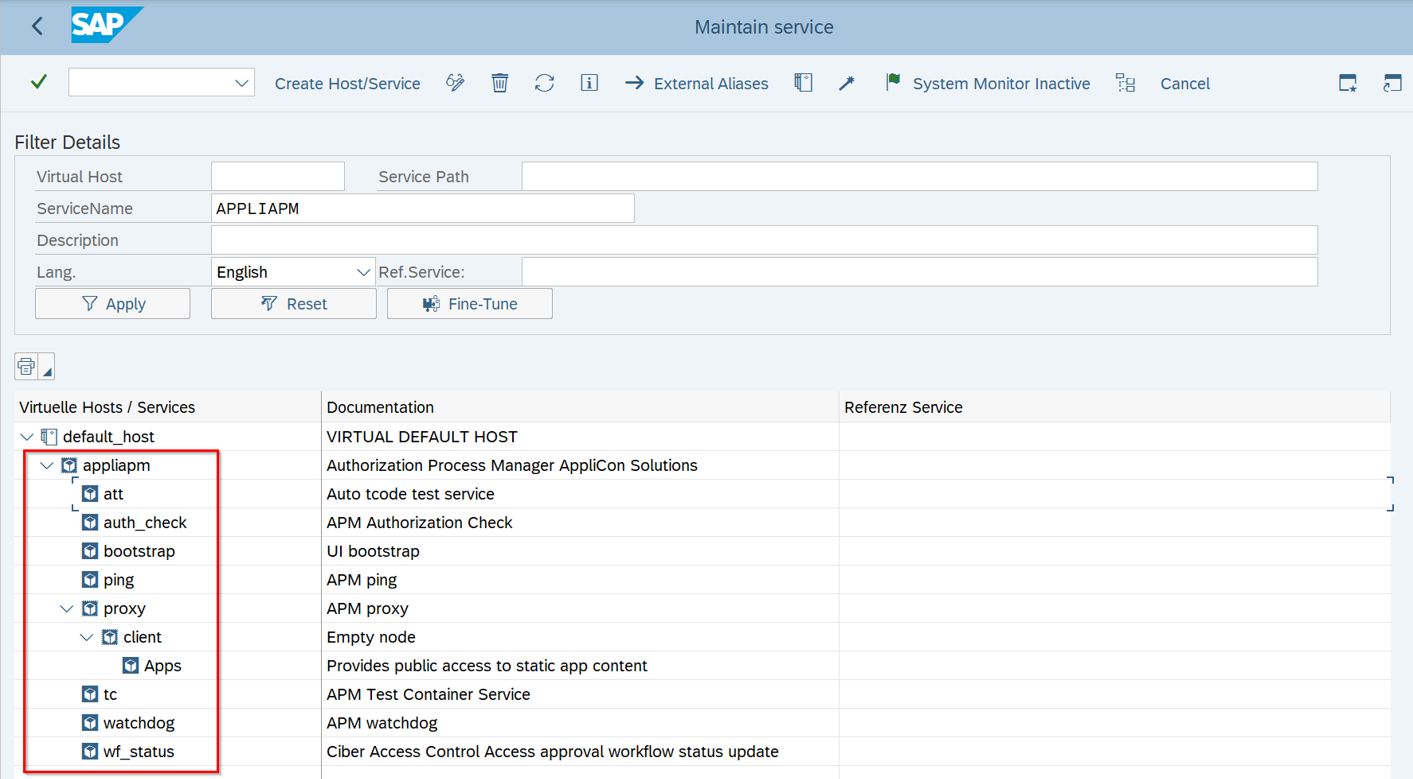
Maintain each of the services listed below, switching them from standard to SSL communication
Step 4
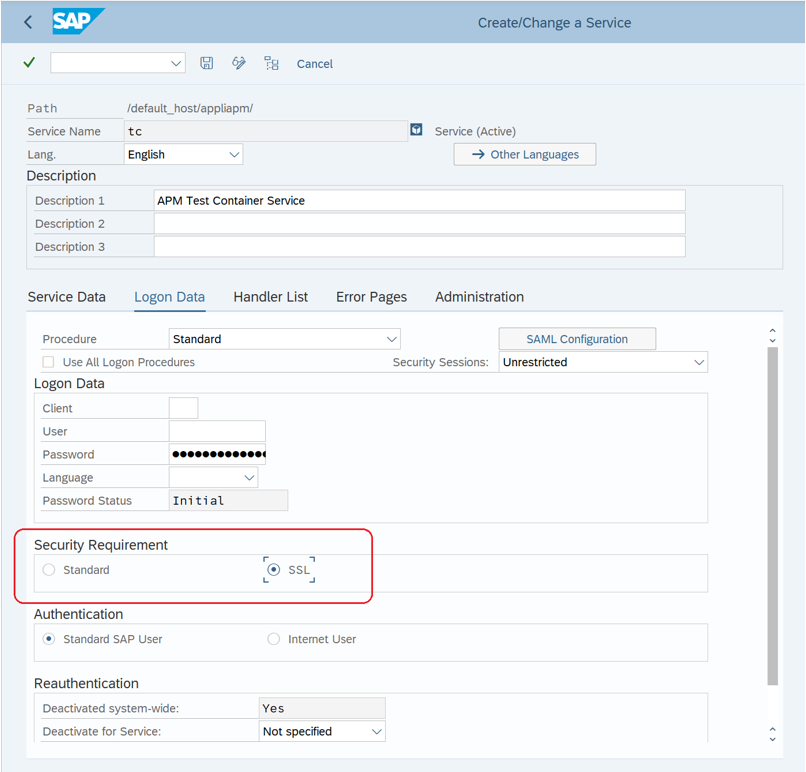
In the “Logon Data” tab, change the setting from “Standard” to “SSL” and save.
That should remove the need to authenticate when using APM or other products from ComplianceNow, the first time logging on.
Do you need our help to resolve your challenge?
Please feel free to get in touch with us.

