

How can we help?
Q0008 – A workflow is approved but the roles have not been assigned the user
Solution a
Check if the background job for an event-based workflow is scheduled
Step 1
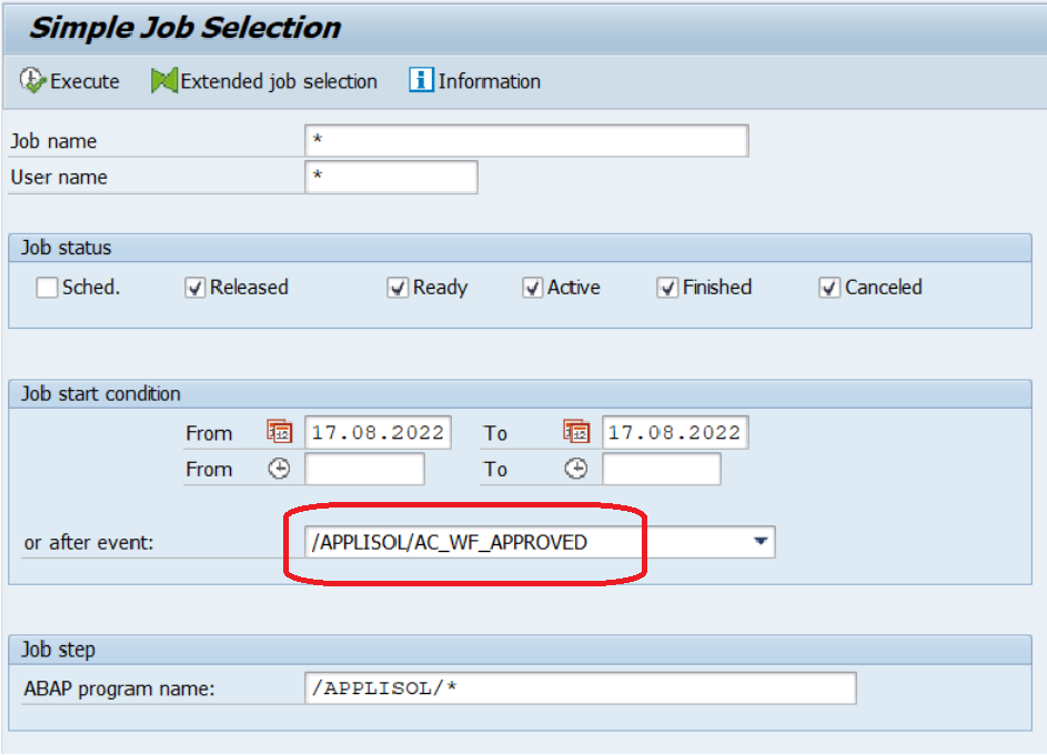
Run SM37, enter selection criteria and execute.
Step 2
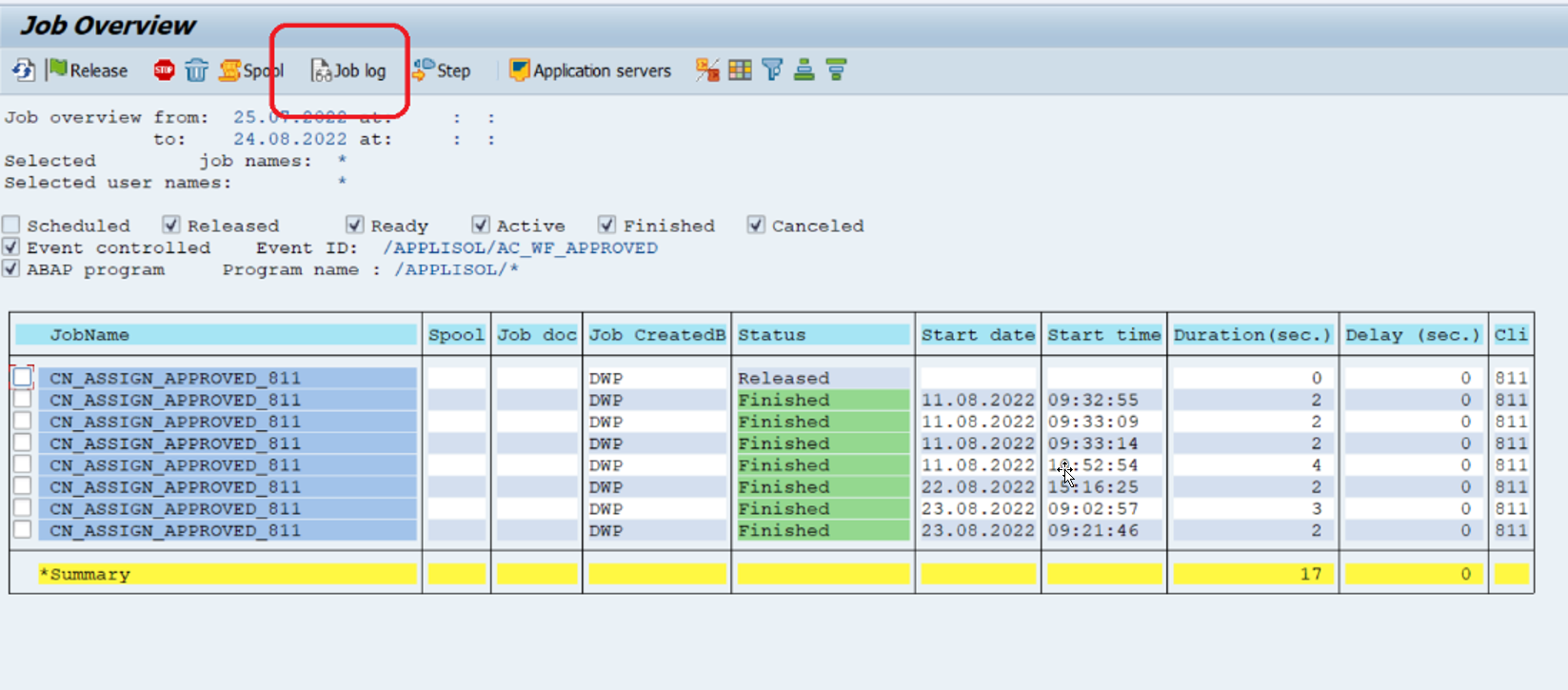
Select the latest workflow job and press icon for “Job log”
Step 3
Check the log for any errors that might indicate that further actions are required.
Solution b
Check if the workflow depends on the approval of multiple approvers
Step 1
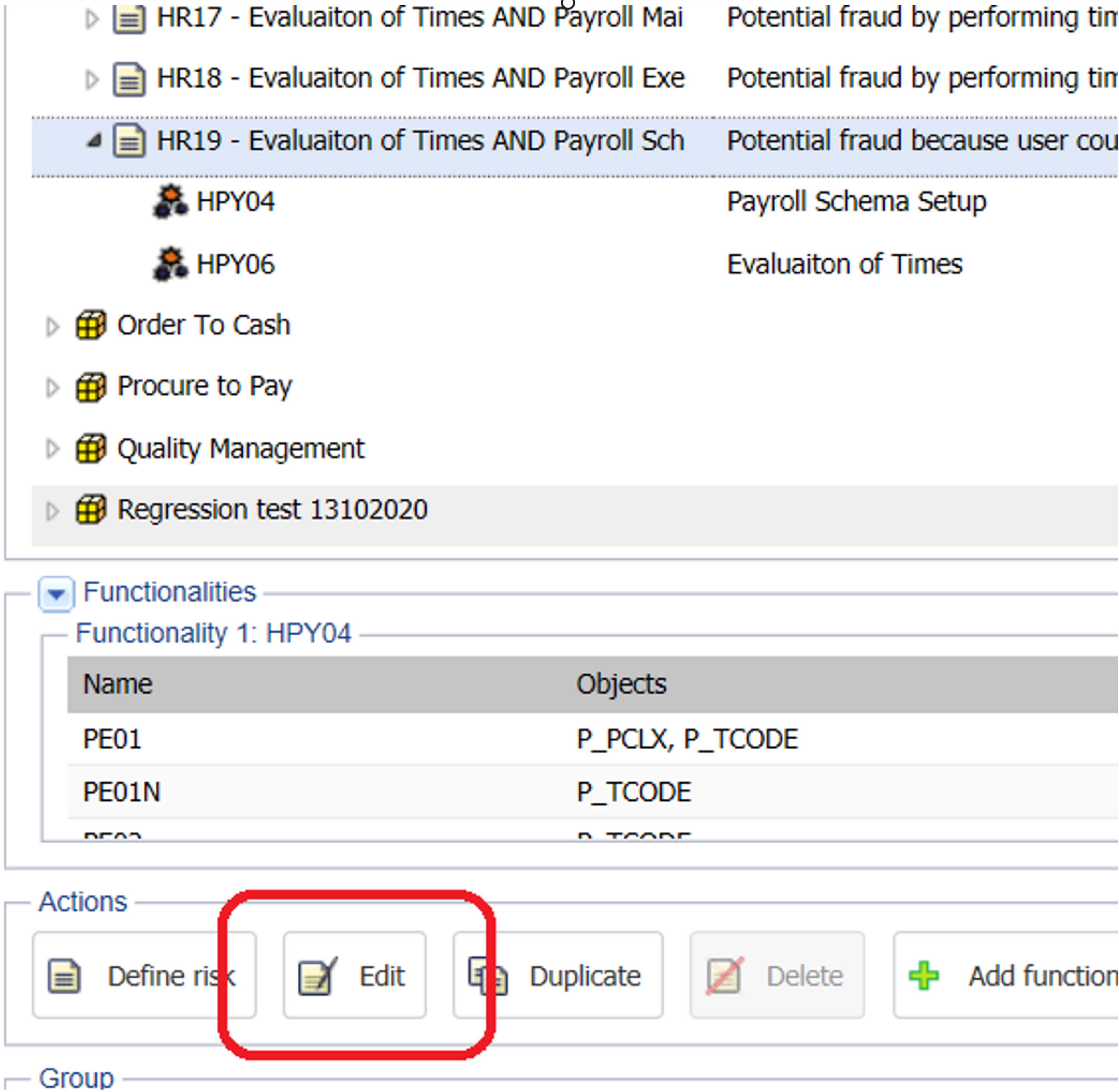
Open the selected risk by clicking “edit“
Step 2
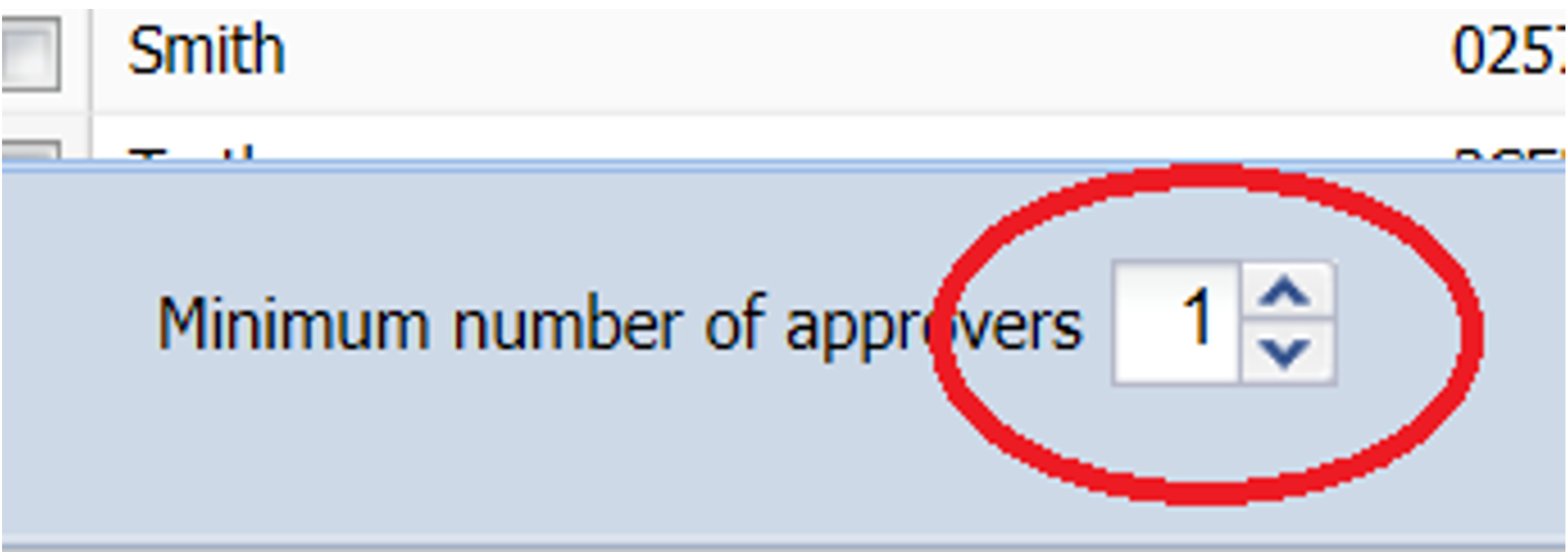
Click on “select approver” to see the number of approvers

Step 3
Make sure that all approvers have accepted the current workflow, alternatively, change the number of approvers if relevant.
Do you need our help to resolve your challenge?
Please feel free to get in touch with us.

